
The Best Camera Settings for Photographing Fast-Moving Small Pets
Have you ever aimed your camera at a zippy pet mouse or a darting hamster, only to find the photo is a fuzzy blur? I’ve faced this exact challenge while trying to capture my own energetic mice, like the adventurous Kenny or the quick Jeffery, and I understand how disappointing it feels to lose those spontaneous, charming moments to motion blur.
This article provides a straightforward path to sharp, vibrant photos by sharing the camera settings I rely on daily. You will explore key adjustments for shutter speed to stop action, aperture selections to keep your pet in focus, and ISO choices for bright, noise-free images even in tricky light.
Why Photographing Mice Requires Different Camera Settings
Standard pet photography advice often centers on dogs and cats, but capturing a mouse is a completely different ballgame. Their world is miniature and lightning-fast. You are not just photographing a pet; you are attempting to document a tiny, hyperactive blur with a personality.
- Tiny Scale, Big Problems: Their small size demands you get extremely close, testing your lens’s minimum focusing distance and making precise focus critical.
- Blur of Motion: A mouse can dart across its cage in the blink of an eye. Their reflexes are exponentially faster than a dog’s, requiring shutter speeds that would freeze a hummingbird’s wings.
- Unpredictable Trajectories: They don’t run in predictable paths. One moment my mouse Kenny is grooming, the next he’s launched himself onto a shelf in a sudden, chaotic burst.
- Dimly Lit Environments: Most cages are in rooms with soft, indoor lighting, not bright studio setups. This forces your camera to work harder to gather light.
- Focusing on Pinpricks: Their eyes are minuscule, dark beads, making it incredibly difficult for autofocus systems to lock on reliably.
The Three Essential Camera Settings for Capturing Mouse Movement
To successfully photograph your speedy friend, you need to master a delicate balancing act with your camera’s exposure triangle. These three settings-shutter speed, aperture, and ISO-must work in harmony, each adjusted specifically for the challenges of mouse photography. Getting one right while ignoring the others will often result in a missed shot.
Fast Shutter Speed: Freezing Tiny Paws in Motion
This is your most powerful tool against motion blur. For relatively calm moments, a shutter speed of 1/500th of a second is your absolute minimum. For most active moments, like when my mouse Jeffery gets the zoomies, I immediately jump to 1/1000th of a second or faster. If your mouse is in a full-blown sprint or mid-air leap, don’t hesitate to use 1/2000th of a second. Using your camera’s Shutter Priority mode (often labeled ‘S’ or ‘Tv’) is a fantastic way for beginners to ensure the speed is always fast enough, letting the camera handle the other settings.
Wide Aperture: Getting Sharp Focus on Small Subjects
A wide aperture (a low f-number like f/2.8 or f/4) lets in more light, which helps your fast shutter speed. It also beautifully blurs the background, making your mouse stand out. The trade-off is a very shallow depth of field, meaning only a sliver of your mouse will be in sharp focus. With a subject this small, an aperture of f/1.4 might leave just the tip of its nose sharp while its body and tail are soft. I find the sweet spot is between f/2.8 and f/5.6. This gives you enough light and blur while keeping most of your mouse’s body acceptably sharp.
High ISO: Working with Limited Light in Cages
When you combine a very fast shutter speed with a medium aperture, you rob your camera of light. High ISO is your necessary compensation. Do not be afraid to set your ISO to 800 or 1600 right from the start for indoor mouse photography. In dimmer situations, pushing to ISO 3200 is often the only way to get a usable shot. Modern cameras handle high ISO much better than older models. A little bit of digital grain in your photo is a small price to pay for a crisp, clear image of your pet in action.
Autofocus Settings That Actually Track Mice
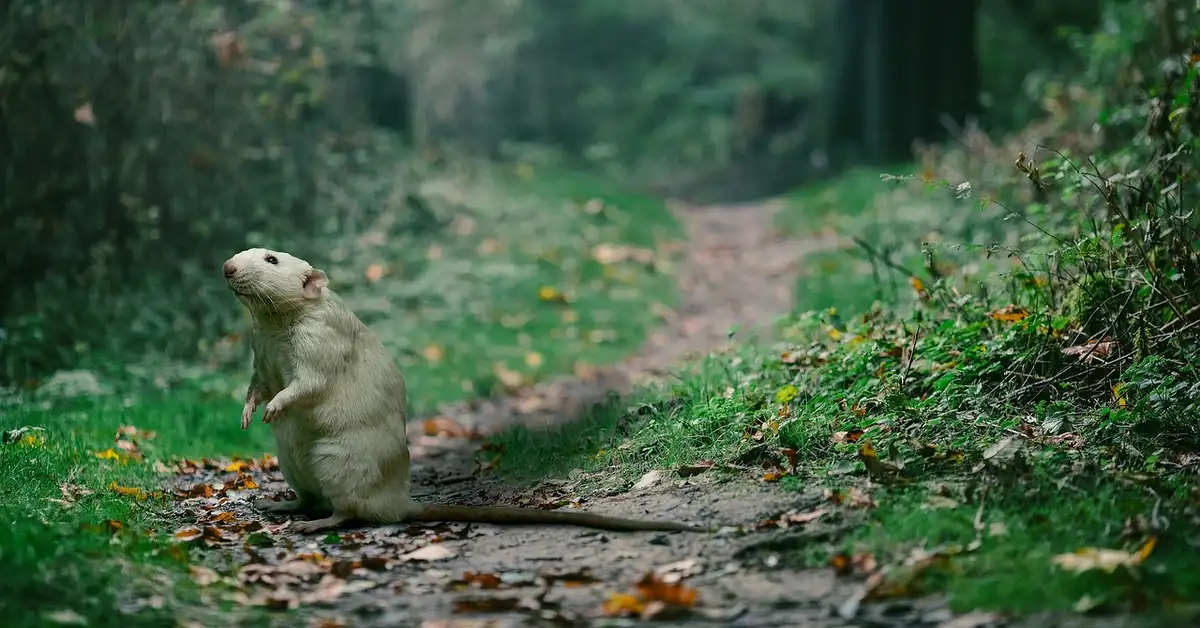
Getting a sharp photo of a mouse feels like trying to photograph a dust mote in a sunbeam-just when you think you have it, it’s gone. The key difference between a blur and a brilliant shot often lies in your camera’s autofocus system being configured specifically for erratic, miniature motion.
Continuous Autofocus and Back-Button Focus Setup
Your mouse isn’t going to pause and hold a pose. Single-shot autofocus (AF-S) locks focus once and is useless the moment your subject moves. Continuous autofocus (AF-C or AI Servo) is non-negotiable, as it constantly adjusts to keep your scurrying friend sharp.
I combine this with a back-button focus setup. This technique separates the focusing function from the shutter button, giving you ultimate control.
Here is how to set it up:
- Navigate to your camera’s custom controls or button assignment menu.
- Find the setting for the AF-ON button or the AE-L/AF-L button on the back of your camera.
- Reassign this button’s primary function to “AF-On” or “Autofocus.”
- Find the setting for the shutter button half-press and disable its autofocus function.
Now you can press the back button with your thumb to focus and hold it to track, while your shutter finger is free to fire at any moment. This lets you track a mouse like my curious Kenny as he darts across the cage, recompose your shot, and capture the action without the camera refocusing on the wrong thing. A well-designed cage — with clear panels, minimal clutter, and good lighting — makes it much easier to get clean, sharp shots of fast little subjects. Check the ultimate guide to mouse cages for setup tips that keep your pet safe and your photos great.
Selecting the Right Focus Points for Small Subjects
Modern cameras boast hundreds of focus points, but with a subject as small as a mouse, that abundance can be a curse. The camera’s brain gets confused, flicking between the mouse, a piece of bedding, or the bars of the cage. Limiting the number of active focus points forces your camera to concentrate on your actual subject.
I typically use a small cluster or zone of points, often just the central group.
- Center Point Focus: Highly accurate and reliable. Place your mouse in the center, focus, and then slightly recompose your shot.
- Small Flexible Spot or Zone: A slightly larger area than a single point, giving you a better chance of acquiring focus on a moving mouse without being too broad.
- Eye-Detection Autofocus: A fantastic tool if your camera has it, but know its limits. A mouse’s eye is tiny, dark, and often obscured by fur or whiskers. It works best when your mouse is facing you directly in good light.
For my white mouse Jeffery, who blends into his bedding, a small, precise zone is the only way I can ensure the camera doesn’t focus on a piece of popcorn behind him instead.
Burst Mode and High Frame Rate Shooting
Mice are unpredictable. The moment you press the shutter, Jeffrey might decide to sneeze, Gregory might turn away, or Kenny might launch into a backflip. Shooting in a continuous high-speed burst mode (5-10 frames per second is a good minimum) is your best insurance policy against these split-second changes.
Think of it as a photographic machine gun; you fire a volley of shots to ensure at least one is perfectly timed and sharp. Out of a burst of twenty images, you might get one where the ears are perked, the eyes are bright, and the pose is perfect.
This technique demands a fast memory card (look for UHS-II or V90 ratings) to clear the camera’s buffer quickly, so you’re always ready for the next action sequence.
Manual Mode vs Shutter Priority for Mouse Photography
Choosing between Manual (M) and Shutter Priority (S or Tv) mode is about balancing control with speed. Shutter Priority is your go-to for dynamic sessions where the light changes, as you simply set the shutter speed and the camera handles the rest. This is perfect for following a mouse from a shadowy hide to a brightly lit platform.
I use Manual mode when my setup is consistent, like during a planned photoshoot in a specific part of the cage with controlled lighting. Manual mode gives you repeatable results, ensuring every shot has the same exposure and mood.
No matter which mode you choose, keep your thumb on the exposure compensation button (+/-). If your mouse is white like Jeffery and the camera underexposes, dial in +1. If your mouse is a dark brown like Gregory and the camera overexposes, dial in -1. This is the fastest way to correct your camera’s meter and get perfect brightness without fumbling in menus.
Lens Choices and Camera Gear for Mice
The right lens doesn’t just capture an image; it determines your relationship with your subject. Getting too close can stress them out, while staying too far away loses all the beautiful detail. A focal length between 50mm and 105mm on an APS-C or full-frame camera provides the ideal working distance-close enough for intimacy, far enough for comfort.
You have two primary paths: prime lenses or zoom lenses.
- Fast Prime Lenses (e.g., 50mm f/1.8, 85mm f/1.8, 100mm f/2.8 Macro): These are my personal favorites. Their wide maximum apertures (low f-numbers) let in more light, allowing for faster shutter speeds. The macro option is superb for capturing the texture of fur and the sparkle in their eyes.
- Zoom Lenses (e.g., 24-70mm, 70-200mm): These offer fantastic flexibility. You can quickly adjust your framing as the mice move without physically moving, which is less disruptive to their natural behavior.
Image Stabilization (IS or VR) is a helpful feature, especially in lower light. Remember that lens stabilization only counteracts your hand’s shake; it does nothing to freeze the motion of a speeding mouse. For that, you still need a fast shutter speed above all else.
Lighting Solutions for Indoor Mouse Photography
Positioning your setup near a north-facing window provides soft, consistent light that won’t overwhelm sensitive mouse eyes. This gentle illumination mimics their natural dawn and dusk activity periods, making them feel secure and photogenic.
For off-camera flash, bounce the light off a white ceiling or use a small diffuser to create a soft glow. Sudden bright bursts can frighten mice, so always test flash intensity away from their habitat first. When you’re doing fall prep and mouse-proofing—especially in attics, basements, or crawlspaces—use low, steady light during inspections to avoid scattering or stressing rodents. Gentle lighting also makes it easier to spot entry points, droppings, and nesting materials so you can seal them up properly.
- Set flash to a low power setting and increase gradually if needed
- Use a wireless trigger to position the flash at an angle, not directly at the mouse
- Combine flash with continuous room lighting to reduce startling contrasts
Engage rear curtain sync to capture a sharp subject with a motion-blurred trail behind them. This setting makes action shots feel dynamic while keeping your mouse’s face in focus. Use this technique in your visual guide to show movement cues like gait and posture. These visual details help readers judge a mouse’s activity level and overall health when choosing a healthy, active mouse.
Switch to spot metering mode when your mouse occupies a small part of the frame. This tells your camera to expose for that tiny area, preventing blown-out highlights on white fur or lost detail in dark corners.
Practical Camera Settings for Common Mouse Photography Situations
Adjust these combinations based on your specific lighting and your mouse’s energy level. Think of these as flexible starting points that grow with your experience. Use them to plan enrichment beyond the wheel—tunnels, chew toys, foraging puzzles and scent games are easy additions. Rotate and tweak items to keep your mouse curious and engaged.
Active Mice in Well-Lit Playpen Areas
Start with 1/1000 sec shutter speed to freeze rapid movements like jumps or sudden turns. A wide aperture like f/4 keeps your active subject sharp while softly blurring busy backgrounds.
- Shutter Priority mode lets you lock in 1/1000 sec while the camera adjusts other settings
- Set ISO to 800 for clean images in bright, natural light
- Use AF-C (continuous autofocus) with burst mode to track unpredictable motion
My mouse Kenny’s playful sprints taught me that higher shutter speeds prevent frustrating motion blur. You’ll capture every whisker twitch and ear flick with these settings.
Mice Exploring Dimly Lit Cage Environments
Drop shutter speed to 1/500 sec and open your aperture to f/2.8 for more light capture. This balance maintains sharpness while brightening shadowy nest areas and tunnels.
- Increase ISO between 1600-3200 to brighten images without adding camera shake
- Keep AF-C active with burst mode for mice moving in and out of shadows
- Add a small LED panel with adjustable brightness if noise becomes excessive
When Jeffrey investigates new hideouts, I watch for moments of stillness to avoid grainy high-ISO shots. Supplemental lighting should cast gentle pools of light, not flood the entire cage.
Close-Up Mouse Portraits with Less Movement
Slow down to 1/250 sec shutter speed when your mouse pauses to groom or nibble. This allows more light for crisp details without requiring extremely high ISO.
- Choose f/5.6 for sufficient depth of field to keep both eyes and nose in focus
- ISO 400-800 maintains image quality in moderate indoor light
- Single-shot AF works well for stationary subjects-focus directly on the nearest eye
Gregory’s calm nature makes him perfect for portrait practice. Always prioritize focus on the eyes, since sharp eyes make the entire image feel alive and connected.
Techniques Beyond Camera Settings
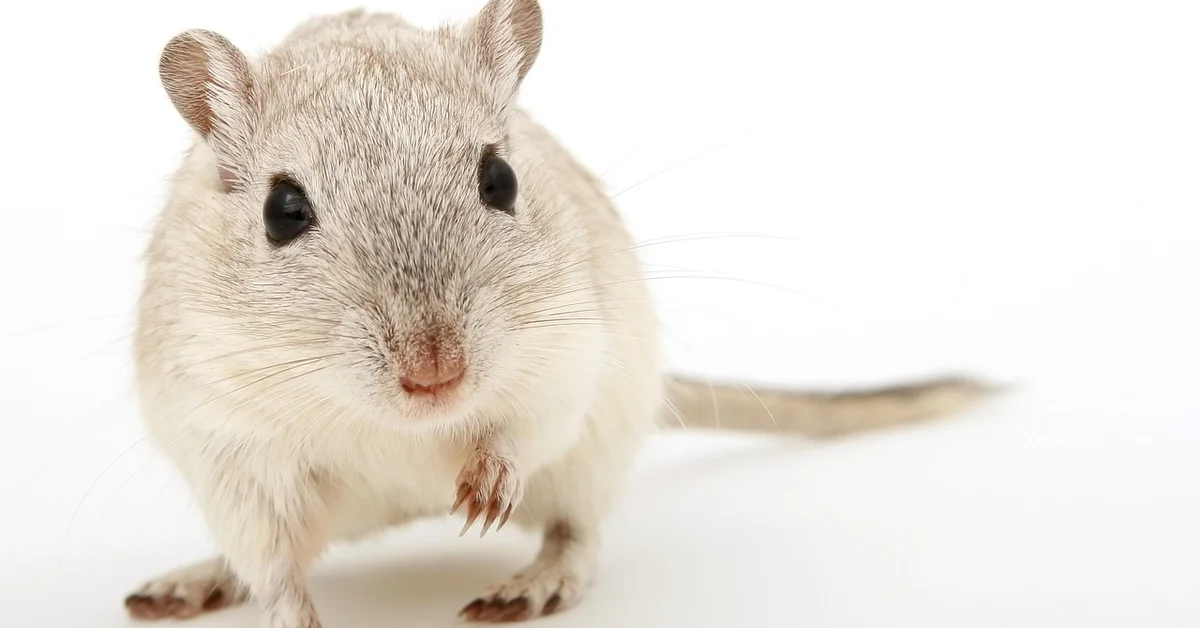
Get down to your mouse’s eye level by sitting on the floor or using a small tripod. This perspective creates intimate images that feel like you’re sharing their world. When building a miniature photo studio for mice, arrange tiny sets and props at that same low height so the scenes read as real. Shooting from their eye level emphasizes scale and detail, making your mini studio look convincing.
Master the panning technique by following your mouse’s movement with your camera during exposure. You’ll achieve beautifully blurred backgrounds that emphasize speed and energy.
- Practice swiveling at the waist to maintain smooth horizontal motion
- Start with slower shutter speeds like 1/60 sec for more pronounced blur
- Take many shots-panning requires experimentation to perfect
Pre-focus on areas where mice frequently pause, like food bowls or tunnel entrances. Anticipating these behavior patterns means you’re ready when spontaneous moments occur.
Observe your mice’s daily routines to predict their movements. I learned that Jeffrey always checks the same corner after waking up, giving me perfect advance positioning. I use observations like this to work through my “tell if your mouse is happy” behavior checklist. Regular routines and relaxed exploration are both good signs they’re comfortable and content.
Patience matters more than any camera setting when working with small pets. Sometimes the best shots come after minutes of quiet waiting for that perfect head tilt or stretch.
Keeping Your Mice Comfortable During Photo Sessions
Photographing your energetic mice requires a gentle touch and a watchful eye. Their comfort is more important than any perfect picture. A stressed mouse will not only be unhappy but will also move in frantic, unpredictable ways that are impossible to photograph well. My mouse, Jeffery, for instance, gets very twitchy with sudden movements, so I’ve learned to move with slow, deliberate grace around him. It’s especially important to keep him calm when I’m trying to capture good photos.
Always keep your photo sessions incredibly brief. Aim for just five to ten minutes at a time. This prevents your mice from becoming bored or overwhelmed. Think of it as capturing a series of quick, candid moments rather than staging a long photoshoot. I’ve found that my curious mouse, Kenny, gives me his best explorer poses in the first few minutes before his attention wanders. Using safe props is important to keep them comfortable and secure.
Never, ever use a direct camera flash. The sudden bright light is startling and can be harmful to their sensitive eyes. Utilize natural window light or soft, continuous indoor lighting to illuminate your scene safely and beautifully. This approach creates a calmer atmosphere and results in more naturally lit, authentic photos.
Learn to read your mouse’s body language. If they start frantically grooming, freezing in place for too long, or trying to hide, your session is over. Normal grooming can be soothing, but “frantic or repetitive grooming” — 4 words; directly highlights concerning grooming behavior, often indicates anxiety. Look for over-grooming, bald patches, or persistent scratching as warning signs. Respecting their signals is the cornerstone of ethical pet photography and builds long-term trust. My older mouse, Gregory, will simply turn his back and amble away to his hide when he’s had enough-a very clear message!
Your setup must be secure and escape-proof. Use a designated, enclosed play area with photo-friendly props. Ensure there are no small gaps to squeeze through and that all props are stable and cannot fall on your pet. A safe environment allows you to focus on your camera, not on a potential great escape.
Common Camera Setting Mistakes When Photographing Mice
Capturing a blur of fur as it zips across the frame is a common frustration. These tiny creatures move with explosive speed, and your camera settings must be ready. Here are the most frequent technical errors I see and have made myself while trying to photograph my own speedy companions.
- Using a Shutter Speed That’s Too Slow: This is the number one cause of blurry mouse photos. A speed like 1/60s will render your pet as a fuzzy smudge. You need a very fast shutter speed, at minimum 1/500th of a second, to truly freeze their rapid movements.
- Forgetting to Switch to Continuous Autofocus (AF-C or AI Servo): Single-shot autofocus locks focus and then stops. The moment your mouse takes a step, it’s out of focus. Continuous AF constantly adjusts focus for as long as you hold the shutter button half-down, tracking your pet as it moves.
- Using All Focus Points: Letting your camera choose from dozens of focus points often leads it to focus on the background or a prop instead of your mouse’s eye. Select a single, flexible focus point or a small dynamic group so you can precisely place focus on your subject’s face.
- Shooting in JPEG Only: JPEG files are processed in-camera and contain less data. Shooting in RAW format gives you much more flexibility to correct exposure and white balance later, which is a lifesaver when dealing with tricky, fast-changing light.
- Not Checking Focus Point Location: It’s easy to recompose a shot without realizing your active focus point has drifted onto an empty corner of the cage. Make a habit of verifying that the highlighted focus point is directly over your mouse before you press the shutter.
- Relying on Digital Zoom: Digital zoom simply crops your photo in-camera, drastically reducing image quality. If you need to get closer, either move yourself physically closer to your subject or use a lens with a longer focal length (optical zoom).
- Using Full Auto Mode: Auto mode cannot comprehend the unique challenge of a fast, small, low-contrast subject against a potentially busy background. Taking manual control over shutter speed and aperture (using Shutter Priority or Manual mode) is non-negotiable for consistent, sharp results.
Frequently Asked Questions
What are the best camera options for photographing mice?
For capturing fast-moving mice, a camera with quick autofocus and good low-light performance is essential. DSLR or mirrorless cameras are ideal because they allow manual control over settings and support interchangeable lenses, which is crucial for adapting to the small size and speed of mice. Look for models with high continuous shooting speeds (at least 5-10 frames per second) and advanced autofocus systems to track erratic movements effectively.
How do I set up my camera for a mice photography session?
Start by ensuring your camera is fully charged and set to Shutter Priority or Manual mode to maintain control over key settings. Pre-configure your autofocus to Continuous (AF-C) mode and select a small group of focus points to improve accuracy on tiny subjects. It’s also helpful to enable burst mode and set a high ISO (e.g., 800-1600) as a baseline, adjusting based on your lighting conditions to avoid motion blur.
How do camera settings for mice differ from those for dog photography?
Mice require much faster shutter speeds (often 1/1000s or higher) due to their rapid, unpredictable movements compared to the more gradual motion of dogs. Additionally, aperture settings need a narrower depth of field to keep the entire tiny subject in focus, whereas dog photography might use wider apertures for background blur without as much concern for minute details. Higher ISO settings are also more frequently necessary for mice to compensate for dim indoor environments where they are typically housed.
Your Path Forward
Getting sharp, beautiful photos of your speedy little companions is a skill that blossoms with patience and practice. The goal isn’t a perfect picture every single time, but to capture the unique personality and charm of your tiny friend. Start with a fast shutter speed and continuous autofocus as your foundation, then adjust from there as you learn their favorite zoomies routes.
Your mice are living their best, fast-paced lives, and your camera is simply there to witness the joy. Embrace the blurry shots as part of the journey, and celebrate every clear, character-filled image you manage to snag. A few simple video tips—steady framing, patient observation, and a quiet background—will help you capture their most engaging behaviors. The memories you preserve will be priceless treasures of your time together.
Further Reading & Sources
- My Camera Settings For Outdoor Pet Photography – FIVE FREEDOMS PHOTOGRAPHY
- Pet Photography Settings: The Ultimate Guide
- Camera Settings for Pet Photography (Best Settings and Tips)
Isabella is a passionate small pet enthusiast with over 8 years of experience in caring for mice. She loves sharing practical tips and heartfelt stories to help fellow mouse owners provide the best care for their tiny companions.
Mice in Culture & Media